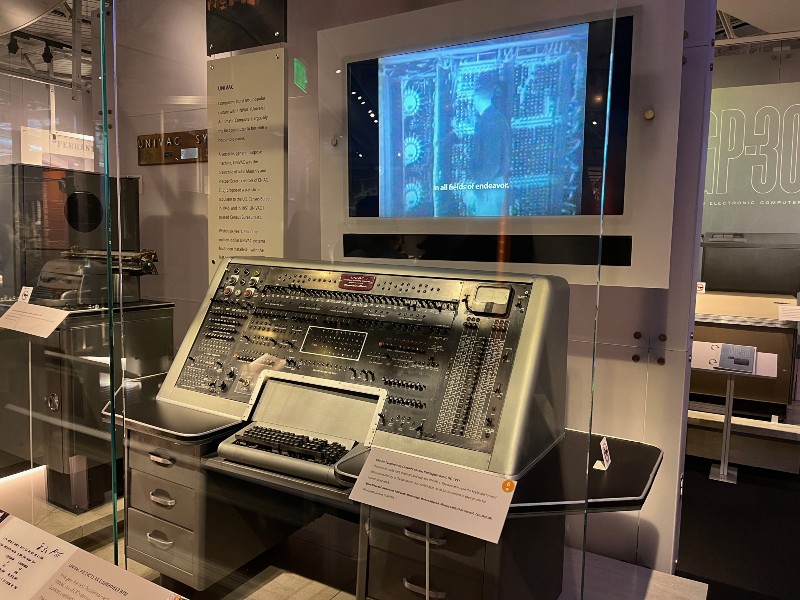
Hardware Components.
A motherboard, also known as a logic board, is a computer circuit board that provides connectivity between the hardware components of a computer, like the processor (CPU), memory (RAM), hard drive, and video card. There are multiple types of motherboards, each designed to fit different types and sizes of computers. There are quite a few motherboard manufacturers worldwide, but some of the larger companies are ASRock, Asus, and Gigabyte.
The term chipset commonly refers to a set of specialized chips on a computer's motherboard. The chipset manages the data flow between the processor, memory, and peripherals. Some of the more well-known chipset manufacturers include Intel, Qualcomm, AMD, and Nvidia.
Key components that are included on, or connect to, the motherboard are described below.
CPU

At the core of the PC is its CPU, or central processing unit. It is responsible for executing all computing instructions that the operating system tells it to execute.
In 2018, Intel controlled most of the CPU market with 77%. In second place was Advanced Micro Devices (AMD), with 23%. AMD’s market share increased in 2019 with the introduction of its 3rd-generation Ryzen Threadrippers.

Memory
There are two broad categories of memory on every PC: ROM and RAM. ROM, or read-only memory, is used by the operating system to store and retrieve data it needs to boot or shutdown. ROM is not volatile; it will retain its content after the PC is shut down.
RAM, or random access memory, is used by the operating system and applications to store computer instructions and data that are waiting to be processed by the CPU. RAM is volatile; it will lose all its content when the PC is shut down.
RAM is typically sized based on the operating system that will run the PC, as well as the applications that will be installed on the PC. Today's PCs are often sold with 8GB of RAM out of the box. The primary manufacturers of RAM modules in 2019 were Samsung with 46.1% of the market, followed by SK Hynix at 28.6% and Micron Group at 19.9%.
Storage
PC Storage is the persistent media on which the operating system, applications, and any other files on the computer are stored. There are two types of storage available on today’s PCs: Hard Disk Drive (HDD) and Solid-state disk (SSD).
All PCs are packaged with one or the other types of storage. HDD has been around for a long time. In 1957 IBM patented the HDD technology as part of its 305 RAMAC system. The technology at its core is magnetic, spinning disks, or platters, that store data in a digital format. At the end of 2018, HDD market share was led by Seagate with 40%, followed by Western Digital at 37% and Toshiba at 23%. With SSD becoming more affordable in recent years, HDD overall market share is declining. Solid-state disks (SSDs) have roots as far back as the late 1970s, but only recently have become an option for general purpose personal computers.
At the end of 2018, market share for SSD makers was led by Samsung with 33.4%, followed by SanDisk with 13% and Toshiba at 10%. Quite a few other makers are not far behind, and in 2019 there was jockeying for position, but Samsung is still the leader.
Communications
Practically all PCs support some way to communicate with a network of other computers. These network connections are enabled by a network adaptor that is installed in the PC. An explanation of the technologies that enable this connection is provided in the PC Networking lesson.
Vocabulary
Flash Card Drill-
My old personal computer was a Windows machine. Now I have a MacBook.私の古いパソコンはWindowsマシンでした。今はMacBookを持っています。
-
The first personal computer was made by IBM.最初のパーソナルコンピューターはIBMによって作られました。
-
The most used application on a personal computer is the browser.パソコンで最もよく使用されるアプリケーションはブラウザです。
-
My favorite game app on a PC is Civilization VI.PCで私のお気に入りのゲームアプリはCivilization VIです。
-
Computer hardware becomes cheaper and cheaper every year.コンピューターのハードウェアは、毎年ますます安くなっています。
-
Regarding computer CPU hardware, Moore's Law states that number of transistors on a microchip doubles every two years, though the cost of computers is cut in half.コンピューターのCPUハードウェアに関して、ムーアの法則では、マイクロチップのトランジスタの数は2年ごとに2倍になりますが、コンピューターのコストは半分になります。
-
I am assembling my own personal computer! I just bought the motherboard online.私は自分のパソコンを組み立てています!マザーボードをオンラインで購入しました。
-
Jim is going to replace the motherboard of his PC. It seems it got damaged when the fan broke.ジムは自分のPCのマザーボードを交換します。ファンが壊れた時に破損したようです。
-
The computer only will go as fast as the CPU can execute instructions.コンピューターは、CPUが命令を実行できる速度でのみ作動します。
-
A processor core (or simply core) is an individual processor within a CPU. Many computers today have multi-core processors, meaning the CPU contains more than one core.プロセッサコア(または単にコア)は、CPU内の個々のプロセッサです。今日の多くのコンピューターにはマルチコアプロセッサーが搭載されています。つまり、CPUには複数のコアが含まれています。
-
I just upgraded my laptop's memory to 8GB.ラップトップのメモリを8GBにアップグレードしました。
-
My new Dell desktop PC has a 9th Gen Intel Core i3-9100 (4-Core, 6MB Cache, up to 4.2GHz with Intel Turbo Boost Technology), and 4GB memory.私の新しいDellデスクトップPCには、第9世代Intel Core i3-9100(4コア、6MBキャッシュ、Intel Turbo Boost Technologyを使用した最大4.2GHz)、および4GBメモリがあります。
-
I just ordered a RAM upgrade from Crucial online. It's a DDR4 - 8 GB - SO-DIMM 260-pin - unbuffered memory card. It should be delivered Friday.CrucialオンラインからRAMのアップグレードを注文しました。 DDR4-8 GB-SO-DIMM 260ピン-バッファーなしメモリカードです。金曜日に配達されるでしょう。
-
Computer memory, or random access memory (RAM) is your system’s short-term data storage. It stores the information your computer is actively using so that it can be accessed quickly. The more programs your system is running, the more memory you will need.コンピューターのメモリ、またはランダムアクセスメモリ(RAM)は、システムの短期データストレージです。コンピューターがアクティブに使用している情報を保存して、すぐにアクセスできるようにします。システムが実行しているプログラムが多いほど、より多くのメモリが必要になります。
-
The hard drive on my laptop failed. I lost all my data!ラップトップのハードドライブが故障しました。データがすべて失われました!
-
Someday HDD devices will be fully replaced by SSD devices.いつかHDDデバイスはSDDデバイスに完全に取って代わrるれるでしょう。
-
SSD technology is built into most laptops these days. It is so much faster than HDD.SSDテクノロジーは、最近のほとんどのラップトップに組み込まれています。 HDDよりもずっと高速です。
-
I bought a new laptop with an SSD drive of 1TB. It is awesome!SSDドライブが1 TBの新しいラップトップを購入しました。すばらしい!
-
My MacBook comes with the macOS version 10.14, which is called Mojave.私のMacBookには、Mojaveと呼ばれるmacOSバージョン10.14が付属しています。
-
I have an old Windows Vista OS that needs an upgrade to Windows 10. Should I upgrade it or just buy a new computer?Windows 10へのアップグレードが必要な古いWindows Vista OSがあります。アップグレーした方がいいか、それとも新しいコンピューターを購入した方がいいですか?
-
They broadcast the speech on a huge monitor so everybody could watch.彼らは誰もが見ることができるように巨大なモニターでスピーチを放送しました。
-
I connected my new laptop to the network, and was immediately able to access the Internet.新しいラップトップをネットワークに接続すると、すぐにインターネットにアクセスできるようになりました。
Quizzes
What did you think of this lesson?
Ask a question or share a thought — I read every one.